MESSAGES · 4 MIN READ

Personalized Thank You Page: Ideas for a Memorable Message

A personalized thank-you page turns a quick note into something someone can revisit. Keep the message specific: mention what the person did and why it mattered.

By the Wishly editorial team
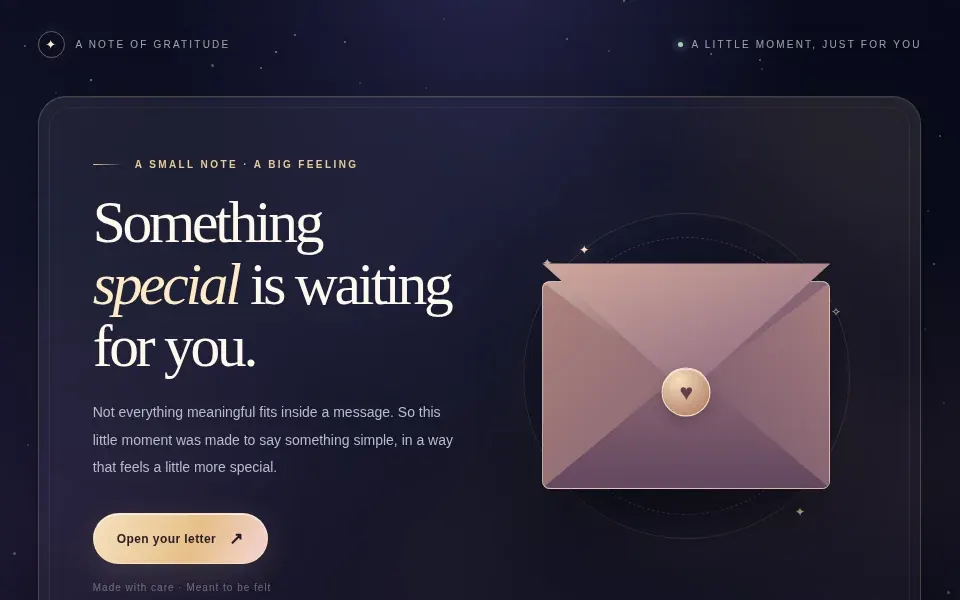
A thank-you website template preview
01

Start with the person, not the design

A personalized thank-you page turns a quick note into something someone can revisit. Keep the message specific: mention what the person did and why it mattered.

Before choosing colours or effects, write down three details that make this person or moment unique. Those details should guide the page.

  • Choose a clear opening message
  • Use a small selection of meaningful photos
  • Keep the main message easy to find
02

Build a simple story

A personal page is easier to follow when it has a beginning, a middle and a closing thought. Introduce the reason for the page, add memories or useful details, then finish with a direct message.

Avoid adding sections just because a template offers them. Every element should help the recipient understand why you made the page.

03

Make it easy to open and share

Preview the page on a phone before sharing. Check that text is readable, images load correctly and any music or video controls are clear.

When you are ready, publish the page and send its link in the conversation where the recipient is most likely to see it.

04

A quick checklist before you send it

Read the message once out loud, check names and dates, and open the published link in a private browser window. If the page is for someone overseas, consider when they are likely to be online.

ONE LAST THOUGHT

The most memorable personal pages are built from real details. Keep the design simple, make the message specific and share the link when the moment feels right.

Explore more personal page ideas

THE MAIN WISHLY WEBSITE

Ready to turn this idea into a real page?

This international site is where you discover ideas, templates and practical guides. Wishly.bd is the main Wishly website—use it to create your account, customise your page in the editor, publish it and manage it later.

Create your page on Wishly.bd Visit the main website
Account & dashboardKeep your projects in one place.
Visual page editorPersonalise the options supported by your template.
Publish & manageMake your page available and return to update it.

QUICK ANSWERS

Frequently asked questions

What should I include?

Start with a personal opening, a few relevant photos or memories, and a clear message. Add music or video only if it improves the experience.

Can I share the page with someone in another country?

Yes. Send the published link and make sure the page is easy to read on a phone and convenient for the recipient’s time zone.

How do I make it feel personal?

Use real details, specific memories and words you would naturally say. A few thoughtful choices are more meaningful than a crowded page.