HOW TO · 4 MIN READ

How to Choose a Wish Website Template (Checklist)

Choosing a template is the most important decision when you make a personal page. A good choice makes writing easier; a poor choice makes every change a struggle. Use these five checks before you commit.

By the Wishly editorial team
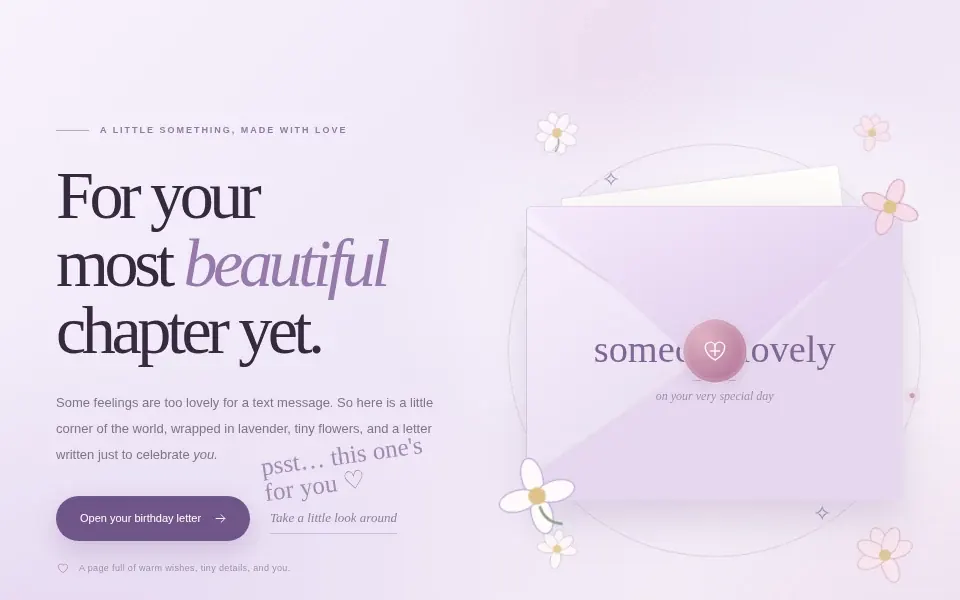
A personal birthday letter website template preview
01

1. Match the occasion

Birthdays, proposals, apologies and invitations need different pacing. A birthday can be playful. An apology should be calm and clear. An invitation must put the date and place first.

02

2. Think about the recipient

Would they enjoy a game, a reveal or a quiet letter? Choose for their personality, not for what looks most impressive.

03

3. Check the language label

If a catalogue includes English and Bengali designs, confirm the language before choosing, so the recipient can read the page comfortably.

04

4. Preview on a phone

Open the preview on a small screen. Is the text readable? Do buttons work with a thumb? Does the page still make sense with sound off?

05

5. Count what you have to say

A template with six photo slots is hard to fill if you only have two photos. Choose a layout that suits the amount of content you actually have.

  • Few photos: letter or message-led designs
  • Many memories: timeline or gallery designs
  • Event details: invitation designs

ONE LAST THOUGHT

Choose the template that suits the moment, the person and the content you have. Then spend your effort on the words.

Browse all templates

THE MAIN WISHLY WEBSITE

Ready to turn this idea into a real page?

This international site is where you discover ideas, templates and practical guides. Wishly.bd is the main Wishly website—use it to create your account, customise your page in the editor, publish it and manage it later.

Create your page on Wishly.bd Visit the main website
Account & dashboardKeep your projects in one place.
Visual page editorPersonalise the options supported by your template.
Publish & manageMake your page available and return to update it.

QUICK ANSWERS

Frequently asked questions

How do I choose the right template for a personal page?

Start with the occasion and the recipient, then check the template’s language, layout on mobile and the features it offers. Pick the design whose structure already matches your message.

Should I choose the most animated template?

Not necessarily. Animation should support the message. A clear, readable page often feels more personal than a busy one.

Can every template include music or video?

No. Features vary by template, so check the live preview and details for each design before you choose it.