BIRTHDAYS · 3 MIN READ

Birthday Countdown Website Ideas: Build Anticipation Thoughtfully

A birthday countdown page can build anticipation with a short series of memories, notes or daily prompts. Keep the countdown simple and confirm the date and time zone before sharing it.

By the Wishly editorial team
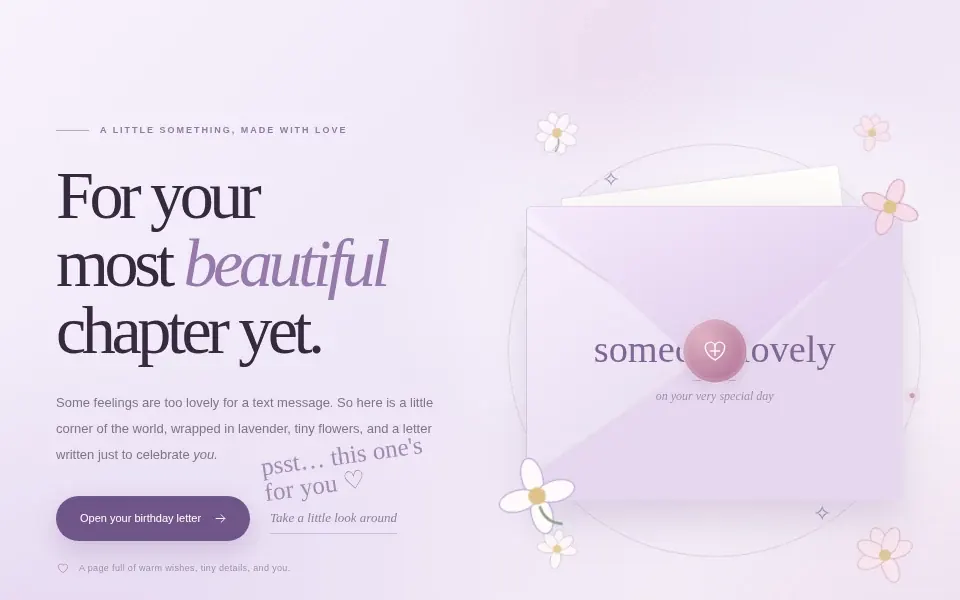
A personal birthday letter website template preview
01

Decide what the countdown is for

A countdown can lead to a birthday message, a planned call or a surprise reveal. Make the destination clear enough that the recipient understands the point without giving away every detail.

If the page uses a date-sensitive display, verify the target date and local time. A wrong time zone can make the surprise arrive earlier or later than intended.

02

Give each step a small purpose

A daily memory, a short appreciation note or a clue can make each visit worthwhile. Avoid repeating the same generic message for every day; a countdown should feel like a sequence.

Do not make the recipient feel obliged to check in constantly. Keep the content optional and make sure the main birthday wish remains accessible.

03

Keep the final reveal easy to reach

The last step should lead directly to the message or event rather than adding several confusing actions. If you are planning a live call, include the time and any practical detail clearly.

Test the full experience from start to finish. Check date formatting, mobile display and what happens when someone opens the page after the countdown has ended.

ONE LAST THOUGHT

The best birthday countdown website feels thoughtful because its details are specific, not because it contains the most sections. Keep the message easy to read, check the page on a phone and share it with a short note that explains why you made it.

Explore birthday designs

THE MAIN WISHLY WEBSITE

Ready to turn this idea into a real page?

This international site is where you discover ideas, templates and practical guides. Wishly.bd is the main Wishly website—use it to create your account, customise your page in the editor, publish it and manage it later.

Create your page on Wishly.bd Visit the main website
Account & dashboardKeep your projects in one place.
Visual page editorPersonalise the options supported by your template.
Publish & manageMake your page available and return to update it.

QUICK ANSWERS

Frequently asked questions

What should a birthday countdown website include?

A countdown can lead to a birthday message, a planned call or a surprise reveal. Make the destination clear enough that the recipient understands the point without giving away every detail.

How can you make the page feel personal?

A daily memory, a short appreciation note or a clue can make each visit worthwhile. Avoid repeating the same generic message for every day; a countdown should feel like a sequence.

What should you check before sharing it?

Test the full experience from start to finish. Check date formatting, mobile display and what happens when someone opens the page after the countdown has ended.